In This Article
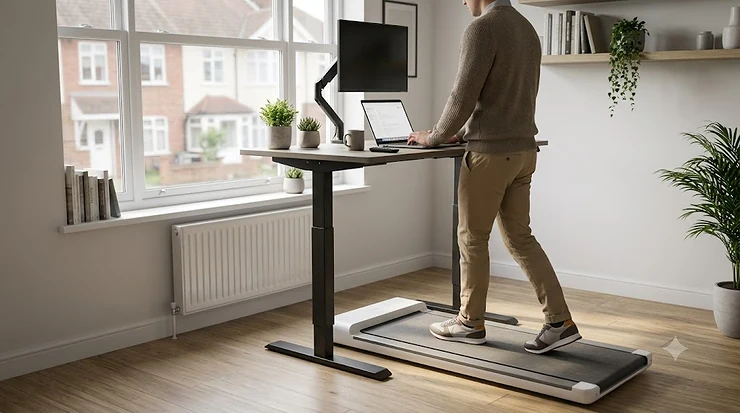
Here’s an uncomfortable truth about the modern desk job: you can eat well, sleep eight hours, and still be doing something to your heart that a gym session on Saturday won’t fully undo. That something is sitting. Not for an hour. For nine, ten, sometimes eleven hours a day, broken up only by the walk to the kettle. A walking pad or under desk treadmill is one of the few genuinely practical fixes for that — a low, quiet machine that lets you shuffle through emails and shuffle your feet at the same time, no gym bag required.
But “walking pad” and “under desk treadmill” get thrown around as if they’re rival categories, and mostly they aren’t — they’re the same idea wearing two different name tags. This guide untangles what actually differs between models (handlebars, incline, app connectivity, top speed) rather than pretending the terminology itself matters, and it does so using real UK products, genuine aggregated review sentiment, and honest comparative reasoning, not recycled spec-sheet copy.
So, what is a walking pad? It’s a compact, low-speed walking treadmill — typically capped around 4-6 kph, or 2.5-3.75 mph — built to sit flat under a standing desk with no handrail, designed purely to keep your legs moving while you work rather than to double as a jogging treadmill. An under desk treadmill is broadly the same machine, sometimes with a fold-down handle bolted on for the days you want to pick up the pace beyond a stroll. Below you’ll find seven real products spanning both ends of that spectrum, three comparison tables with proper analysis, a full setup walkthrough, and honest guidance on which one actually suits your working day rather than the one with the shiniest listing photos.
Quick Comparison Table
| Machine | Top Speed | Handlebar | Best For |
|---|---|---|---|
| UREVO SpaceWalk Lite | 4 mph (6.4 kph) | No | Cheapest genuine entry point |
| DeerRun Z10 | 3.8 mph (6 kph) | No | Budget auto-incline walking |
| UREVO SpaceWalk E4 | 4 mph (6.4 kph) | No | App-connected mid-range pick |
| WalkingPad C1 | 3.75 mph (6 kph) | No | Lightest, most foldable pad |
| JTX MoveLight | 3.7 mph (6 kph) | No | Best all-round quiet performer |
| Bluefin Fitness Task 2.0 | 5 mph (8 kph) | Small handlebar | Faster walking, occasional jog |
| WalkingPad R2 Hybrid | 7.5 mph (12 kph) | Fold-up handlebar | True walk-and-jog 2-in-1 |
Scanning this table, the pattern is obvious once you see it laid out: every flat, handlebar-free machine tops out somewhere between 3.7 and 4 mph, because that’s genuinely the ceiling for walking comfortably without a rail to hold. The moment a handlebar appears, top speed jumps to 5 mph or beyond, because now you’ve got something to grab onto if the belt catches you off guard. If your entire ambition is “walk while I answer emails,” six of these seven machines do that job equally well and the decision comes down to price and app features; only the R2 is genuinely built to double as a proper treadmill.
💬 Just one click — help others make better buying decisions too!😊
Top 7 Walking Pads & Under Desk Treadmills: Expert Analysis
1. UREVO SpaceWalk Lite — cheapest genuine entry point
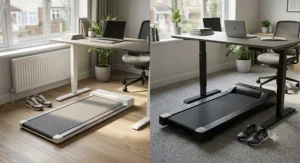
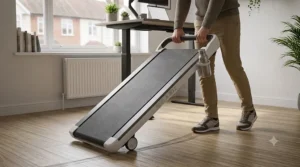
Under £110 buys you a surprisingly complete little machine here: a 2.25HP motor, a basic LED display covering speed, time, distance and calories, a remote, and transport wheels so it actually rolls under the sofa rather than needing to be dragged. Based on the spec comparison with pricier SpaceWalk siblings, this is UREVO stripped to its studs — no app, no SmartCoach coaching, no incline — and that’s precisely the point. You’re paying for the motor and the belt, nothing else, which is exactly what a first-time buyer testing whether they’ll actually use a walking pad needs.
This suits someone who isn’t yet convinced a low speed walking machine will earn its keep and doesn’t want to gamble £300+ finding out. What most buyers overlook about entry-tier pads like this is the trade-off in belt comfort — it lacks the multi-layer shock absorption of the step-up models, so longer sessions feel noticeably harder on the knees than on the E4 below. Reviewers consistently describe it as a solid, no-fuss starter pad that competes squarely with Citysports and the cheapest WalkingPad models on price.
Pros:
- ✅ Genuinely the cheapest credible walking pad on the market
- ✅ Transport wheels make it easy to stash away daily
- ✅ Simple remote control needs no app or account setup
Cons:
- ❌ No app connectivity or workout tracking beyond the basics
- ❌ Thinner cushioning than UREVO’s own step-up models
At around £90-£110, it’s the honest budget test case: buy this first, and only upgrade once you know walking-while-working actually suits you.
2. DeerRun Z10 — best budget auto-incline
Most walking pads in this price bracket are dead flat, but the Z10 sneaks in a 12-level automatic incline that tops out around 9%, controlled with a single button on the remote or through the free PitPat app. On paper this means you can turn a flat desk-walk into something closer to hill training whenever you actually want a workout rather than background movement, and the incline adjusts slowly enough underfoot that you won’t lose your footing mid-change.
Here’s what to weigh: the walking surface measures a fairly narrow 16 x 35 inches, so taller users or anyone with a long stride will feel boxed in, and DeerRun itself pitches this more as a dedicated fitness session machine than a background desk-walker, given the beeps that accompany speed and incline changes. Reviewers consistently note that the steel frame feels stable even at full incline, and treadmill review specialists have called it one of the more impressive features-to-price ratios in the budget bracket. It’s a genuinely strong pick for anyone who wants their desk-walking to occasionally become an actual workout rather than passive movement.
Pros:
- ✅ Rare auto-incline feature at a genuinely budget price
- ✅ Stable steel frame even at maximum incline
- ✅ PitPat app backup if you misplace the remote
Cons:
- ❌ Narrow 35-inch belt suits shorter strides better
- ❌ Beeps on setting changes aren’t ideal for silent desk use
Typically priced in the £180-£240 range, this is the pick for anyone who wants more than flat walking without paying for a full incline treadmill.
3. UREVO SpaceWalk E4 — best app-connected mid-range pick
The E4 sits at what UREVO itself calls the sweet spot of its range, and the spec sheet backs that claim up. A 2.5HP motor drives a proper 38 x 90cm anti-slip belt with eight silicone shock absorbers, running under 45dB — genuinely quiet enough to sit through a video call without anyone asking what that hum is. What the spec sheet won’t tell you, but reviewers note, is how much the free SmartCoach app changes the day-to-day experience: virtual city walks, HIIT intervals and real-time coaching turn a monotonous background shuffle into something with actual structure, which matters enormously for whether people stick with it past week three.
This is the machine for anyone who wants the best walking pad for home office use without stepping up to WalkingPad or JTX pricing, and it undercuts the equivalent WalkingPad model by a comfortable margin according to independent UK comparison sites. Reviewers consistently praise the curved, wood-adjacent aesthetic as looking considerably more premium than the price suggests, with testers specifically noting no knee or ankle discomfort even at the top of its speed range.
Pros:
- ✅ SmartCoach app adds real structure to daily walking
- ✅ Runs under 45dB, quiet enough for calls at pace
- ✅ Wide 38 x 90cm belt suits most body sizes comfortably
Cons:
- ❌ Buying via Amazon UK drops the warranty to one year
- ❌ No incline, unlike the pricier SpaceWalk 5L in the same range
Priced around £170-£200 at the time of research, this is the strongest all-round value pick in UREVO’s entire lineup.
4. WalkingPad C1 — lightest, most foldable pad
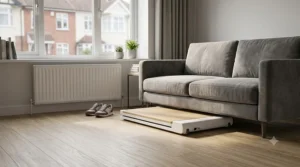
WalkingPad’s patented 180-degree fold is the whole reason this brand became a household name among remote workers, and the C1 is the cheapest way into that experience. At just 22kg it’s genuinely the lightest model in the entire WalkingPad range, folding down to roughly 85 x 53 x 12cm — small enough to slide under a bed or sofa without a second thought. The remote-mounted display is a clever touch for under-desk use specifically, since a screen mounted on the machine itself would be invisible once it’s tucked beneath a standing desk.
Based on the spec comparison with WalkingPad’s pricier models, the C1 trades a brushless motor for a brushed one, which is subtle at walking pace but noticeably less smooth than the A1 Pro if you ever push toward its top speed. It’s worth knowing before you buy that the full 3.75 mph speed only unlocks once you’ve connected the free KS Fit app — without it, you’re capped at a crawling 1.75 mph, which has caught more than one buyer out. Reviewers consistently mention needing to occasionally re-centre the belt, a recurring theme across WalkingPad’s entry-tier models rather than a fault unique to this one.
Pros:
- ✅ Lightest WalkingPad model, genuinely easy to move solo
- ✅ Same 180-degree fold and app as pricier siblings
- ✅ Remote-mounted display works well tucked under a desk
Cons:
- ❌ Full speed range is locked behind mandatory app pairing
- ❌ Belt occasionally needs manual re-centring over time
Sitting in the £300-£330 range, you’re paying for the WalkingPad name and fold mechanism rather than raw motor power — a fair trade if storage space is genuinely tight.
5. JTX MoveLight — best all-round quiet performer
JTX is a UK company based in Brighton, and the MoveLight has picked up genuine independent press credibility to match — named a Best Buy walking pad by The Telegraph and Best Under Desk Treadmill by Women’s Health. The reasoning becomes obvious within a week of use: there’s no handlebar to catch on a standing desk, the deck sits just 12.9cm off the floor, and an eight-point cushioned deck absorbs impact noticeably better than the flatter budget alternatives above.
What most buyers overlook here is the trade-off implicit in doing one job supremely well: there’s no app connectivity at all, and if there’s any chance you’ll want to jog, even occasionally, the 4.3 mph ceiling is a hard limit that can’t be unlocked or upgraded. Reviewers consistently describe it as quiet enough to hold a video call at walking pace, which genuinely isn’t something you can say about most budget rivals, and the 2-year in-home warranty with an engineer visiting your door is meaningfully better cover than almost anything else on this list.
Pros:
- ✅ Independently rated Best Buy by two major UK publications
- ✅ Genuinely quiet enough to hold calls while walking
- ✅ 2-year in-home warranty, engineer visits included
Cons:
- ❌ No app connectivity or workout tracking whatsoever
- ❌ 4.3 mph ceiling rules out jogging entirely
At around £399-£499 depending on sales, it costs more than the UREVO and DeerRun options, but the warranty and press-verified build quality justify a fair chunk of that premium.
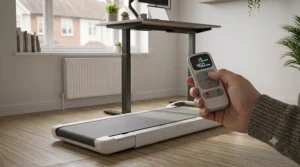
6. Bluefin Fitness Task 2.0 — best small handlebar for faster walking
Where the previous five machines are pure walking pads, the Task 2.0 nudges toward genuine under desk treadmill territory with a small handlebar and a 5 mph top speed — enough for a proper brisk walk or a light jog rather than a shuffle. The handlebar is compact enough not to dominate the unit visually, and it’s genuinely useful if you’re using this without a standing desk, giving you something to steady yourself against during faster intervals.
Here’s what to weigh: the Kinomap app that pairs with the Task 2.0 has been described by testers as glitchy even after several updates, so treat any app-based training content as a nice-to-have rather than the reason to buy. Reviewers consistently note that after months of regular use, wear and tear stays minimal, and the small LCD display covering pace, calories, distance and time does its job without fuss. It’s a strong pick for anyone who specifically wants office cardio equipment that can flex between gentle desk-walking and a genuine light workout on evenings and weekends.
Pros:
- ✅ 5 mph top speed covers brisk walking and light jogging
- ✅ Compact handlebar aids balance without adding bulk
- ✅ Minimal wear reported even after months of regular use
Cons:
- ❌ Kinomap companion app is reported as glitchy
- ❌ Handlebar adds a little visual bulk versus flat pads
Typically priced in the £250-£300 range, it undercuts most true 2-in-1 hybrids while still stepping meaningfully past pure walking-only pads.
7. WalkingPad R2 Hybrid — true walk-and-jog 2-in-1
At the top of this list sits the machine that actually earns the “vs” in walking pad vs under desk treadmill, because it refuses to pick a side. Handlebar folded down, the R2 is a flat walking pad capped at 3.7 mph, identical in spirit to the C1 above. Fold the handrail up, though, and it transforms into a genuine compact treadmill capable of 7.5 mph — properly fast enough for interval running, not just a brisk walk.
What the spec sheet won’t tell you, but the price tag makes clear, is that you’re paying a considerable premium for that dual identity: at roughly double the cost of a flat-only pad, this only makes financial sense if you know you’ll actually use both modes rather than buying the flexibility “just in case.” Reviewers consistently point out that this single purchase replaces what would otherwise be two separate machines — a desk-walker and a proper home treadmill — which is genuinely the strongest argument in its favour if space and budget both matter equally. Independent UK comparison sites specifically recommend it over buying a walking-only pad now and a treadmill in six months, since the total cost usually works out lower than two separate purchases.
Pros:
- ✅ Genuinely doubles as both a walking pad and a jogging treadmill
- ✅ Fold-up handlebar adds real stability at higher speeds
- ✅ Replaces two machines with one considered purchase
Cons:
- ❌ Roughly double the price of a flat-only walking pad
- ❌ Overkill if you’ll only ever walk, never jog
Expect to pay in the £600-£650 range, which is a genuine investment rather than an impulse buy — but a fair one if you actually need both speeds.
Top 7 Machines: Full Comparison
| Machine | Price Range | Top Speed | App | Best For |
|---|---|---|---|---|
| UREVO SpaceWalk Lite | £90-£110 | 4 mph | None | First-time budget testers |
| DeerRun Z10 | £180-£240 | 3.8 mph | PitPat | Auto-incline on a budget |
| UREVO SpaceWalk E4 | £170-£200 | 4 mph | SmartCoach | Best value with app support |
| WalkingPad C1 | £300-£330 | 3.75 mph | KS Fit | Lightest, easiest to store |
| JTX MoveLight | £399-£499 | 4.3 mph | None | Quietest, best warranty |
| Bluefin Fitness Task 2.0 | £250-£300 | 5 mph | Kinomap | Faster walking, occasional jog |
| WalkingPad R2 Hybrid | £600-£650 | 7.5 mph | KS Fit | True 2-in-1 walk and jog |
Laid out side by side, the clearest divide isn’t price at all — it’s whether a machine has a handlebar. Every flat pad tops out under 4.3 mph regardless of price, while both handlebar-equipped machines clear 5 mph, confirming that speed ceiling is a design decision rather than a quality marker. If your budget stretches and you genuinely need both modes, the R2 replaces two future purchases with one; if you only ever intend to walk, spending beyond the JTX MoveLight buys polish and warranty rather than any real functional upgrade.
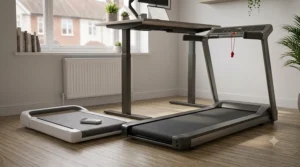
Setting Up Your Walking Pad for Home Office Success
Buying the right machine is only half the job; getting it working smoothly under your actual desk setup is where most work from home treadmill owners either succeed for years or quietly abandon the whole idea within a month.
Start with desk height. Most walking pads sit 12-15cm off the floor, so add your own height to that figure and check your standing desk clears your elbows at roughly 90 degrees once you’re stood on the belt, not measured from the bare floor. A desk that felt perfectly set for standing suddenly sits too low once you’ve added 13cm of machine beneath your feet, and that single oversight causes more wrist and shoulder discomfort than any other setup mistake. Next, check your flooring: hard surfaces are genuinely better than carpet, since carpet traps heat under the motor housing and can shorten belt life; if hard flooring isn’t an option, a simple treadmill mat underneath solves most of the problem.
Common mistakes in the first 30 days include cranking the speed up to “get a proper workout” while trying to type, which mostly just produces typos and frustration — 1.5-2.5 mph is realistically the sweet spot for actual desk work, with anything faster reserved for calls or reading rather than typing. Another frequent error is skipping the manufacturer’s belt lubrication schedule, which is the single most common cause of extra noise and uneven belt tracking within the first few months. Finally, resist mounting a monitor arm or laptop stand that wasn’t rated for the vibration a walking pad introduces — a wobbling screen at head height is distracting at best and a genuine trip risk at worst.
Real-World Scenarios: Who Should Buy Which Machine
Picture three different desks, because the right machine genuinely depends on who’s standing at it.
Take someone newly switched to permanent home working who has never used a treadmill of any kind and isn’t sure it’ll stick. The UREVO SpaceWalk Lite is the obvious starting point — cheap enough that abandoning it after a month isn’t a financial disaster, simple enough that there’s no app to configure before the first walk.
Now picture someone in an open-plan home office shared with a partner on calls all day, where noise genuinely matters and video calls happen constantly. The JTX MoveLight’s press-verified quiet running and lack of beeping settings changes make it the safest choice — nobody wants to explain a chirping treadmill mid-meeting.
Finally, consider someone who already owns a treadmill’s worth of ambition but lives in a one-bedroom flat with no space for two separate machines — one for desk-walking, one for actual running training. The WalkingPad R2 Hybrid solves exactly that constraint, at a price that reflects doing two jobs rather than one.
How to Choose the Best Walking Pad for Home Office Use
- Measure your actual desk clearance first. Most pads need 13-16cm of vertical clearance and roughly 145cm of length in front of your desk to walk comfortably.
- Decide if you need a handlebar at all. If you’ll only ever walk at desk-friendly speeds, skip it entirely; it adds bulk and cost you won’t use.
- Check the weight capacity against your own weight, honestly. Many budget pads cap out around 100kg, which excludes plenty of otherwise interested buyers.
- Prioritise noise rating if you’re on calls often. Anything rated under 45dB should stay comfortably below normal speaking volume.
- Think about whether app connectivity actually motivates you. For some, SmartCoach-style coaching keeps the habit alive; for others, it’s an unused download.
- Confirm the belt size suits your stride. Taller users specifically should check belt length before buying, since several budget pads run notably short.
- Factor in warranty and support, not just the sticker price. A 2-year in-home warranty is worth real money if a motor fails in year two.
Common Mistakes When Buying a Walking Pad or Under Desk Treadmill
The single most common error is buying on top speed alone without checking whether that speed is actually usable while typing — a 7.5 mph ceiling means nothing if you’ll only ever walk at 2 mph while working. A close second is underestimating desk clearance, discovering only after delivery that a standing desk needs raising further than its maximum height allows. Shoppers also frequently assume every walking pad ships with an app-unlocked top speed out of the box, then discover — as WalkingPad C1 owners specifically report — that a mandatory app pairing is required to access anything beyond a crawl. Finally, plenty of buyers skip reading weight capacity limits entirely, then find their chosen machine is rated well below what they actually need for confident daily use.
Walking Pad vs Under Desk Treadmill: What’s Actually the Difference
Here’s the honest answer to the question in this guide’s title: there usually isn’t one. Walking pad, walking treadmill, and under desk treadmill are largely interchangeable marketing terms for the same category of compact, low-speed machine, and reading too much into which phrase a specific listing uses is a waste of your research time. What genuinely does vary, and matters far more than naming, is whether a model has a handlebar. A flat, rail-free walking pad — like six of the seven models above — exists purely to let you walk while working, capped around 3.7-4.3 mph for safety and comfort without anything to hold onto. A hybrid with a fold-down handrail, like the WalkingPad R2 or Bluefin Task 2.0, unlocks meaningfully higher speeds because the handlebar gives you something to steady yourself against if the belt catches you off guard.
The second real distinction is motorisation. Nearly every product in this guide is motorised, but a small number of manual, self-powered walking pads exist with no motor and no plug at all — you drive the belt yourself, which caps effective speed low but removes any noise or electricity draw whatsoever. For genuine desk-based background movement, motorised flat pads remain the sensible default; manual pads suit a narrower niche of buyers specifically avoiding any electrical component.
Benefits vs Traditional Alternatives
| Approach | Sedentary Reduction | Noise for Calls | Cost | Best For |
|---|---|---|---|---|
| Flat walking pad | High | Low | Low-moderate | Pure desk-walking, no jogging |
| Hybrid handlebar treadmill | High | Moderate | Moderate-high | Walking plus occasional jogging |
| Standing desk alone | Moderate | None | Low | Reducing sitting without walking |
| Regular gym sessions | High (but time-boxed) | N/A | Moderate | Structured, dedicated training time |
Set against these alternatives, a flat walking pad delivers the best ratio of sedentary-time reduction to disruption during an actual working day — you genuinely can hold a call while using one, which you can’t say for a gym session. A standing desk alone helps posture but does almost nothing for cardiovascular load compared with any walking machine, since standing still barely raises heart rate above sitting. Regular gym sessions remain valuable for structured, harder training, but they don’t touch the cumulative hours of sedentary time a desk job produces during the working day itself — which is precisely the gap a walking pad is built to close.
What to Expect: Real-World Performance While Working
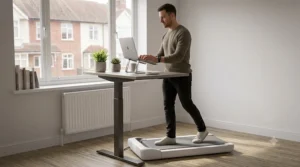
Spec sheets rarely capture what daily use actually feels like, so here’s the honest version. Typing accuracy genuinely does suffer above around 2.5 mph for most people — if precise keyboard work is your priority, expect to dial speed down during focused writing and back up during calls or reading-only tasks. Reviewers across nearly every product in this guide mention the same adjustment period: the first week feels oddly effortful simply because you’re relearning to coordinate typing and walking simultaneously, and it does genuinely get easier by week two or three.
Noise is more context-dependent than spec sheets suggest. A machine rated at 45dB is quiet in isolation, but on a hard wooden floor in a flat with downstairs neighbours, that same machine transmits more vibration through the structure than the decibel rating alone implies — a rubber mat underneath solves most of this. Prolonged sitting itself, separate from any exercise you otherwise do, has been linked by British Heart Foundation research to higher rates of diabetes, cardiovascular disease and death from all causes, which is part of why background desk-walking is worth the adjustment period even before it feels effortless. Battery-free and low-maintenance as these machines mostly are, belts do need occasional re-centring and light lubrication, and skipping that maintenance is the single most common cause of the “grinding” noise several reviewers report after a few months of daily use.
Office Cardio Equipment for Different Work Styles
Desk-bound writers and analysts doing heavy, focused keyboard work generally do best with the quietest, most stable flat pads — the JTX MoveLight’s press-verified low noise and cushioned deck suit long, uninterrupted typing sessions better than anything with a handlebar in the way. Client-facing roles with back-to-back video calls should prioritise noise rating above almost everything else, since a machine that’s merely “fairly quiet” becomes genuinely audible on a laptop microphone during a call. Anyone doing a genuine mix of desk work and dedicated fitness sessions — perhaps switching from spreadsheets in the morning to an actual cardio session at lunch — is the specific audience the hybrid handlebar machines are built for, since a single purchase then covers both use cases without needing a second piece of equipment crammed into a home office.
Long-Term Cost & Maintenance
A walking pad is close to a fit-and-forget purchase rather than an ongoing cost, but a handful of small maintenance habits genuinely extend motor and belt life well beyond the one or two years some budget owners report. Occasional belt lubrication, following the manufacturer’s schedule rather than waiting for a problem to appear, is the single biggest lever most owners neglect, and neglect is consistently the most-cited cause of premature belt wear and extra motor noise across UK owner reviews. Warranty length varies more than most buyers expect: JTX’s 2-year in-home cover with an engineer visiting your door is meaningfully more valuable than a 1-year Amazon-handled return, particularly for a motor that runs daily rather than occasionally. Factoring in likely maintenance and realistic warranty claims, not just the sticker price, is the more honest way to compare total cost of ownership across this category — a cheaper pad that needs replacing after eighteen months isn’t actually the better-value purchase it looks like on day one.
Quiet Under Desk Treadmills: Safety & What Actually Matters
Sitting all day carries real, well-documented health risk, and it’s worth being precise about what a walking pad genuinely fixes versus what it doesn’t. Adults are advised to get at least 150 minutes of moderate activity a week, and the NHS’s own physical activity guidelines specifically flag reducing and breaking up long periods of sitting as a distinct goal from hitting that weekly activity target — meaning a walking pad addresses a genuinely different problem than a Saturday gym session does.
Safety-wise, weight limits matter more than most buyers treat them: a machine rated for 100kg used regularly by someone close to that limit will wear its motor and belt faster than the same machine used well within capacity, so buying with headroom rather than right at the ceiling genuinely extends usable life. If your employer provides your workstation, it’s also worth knowing that HSE guidance on home working treats display screen equipment assessments as applying to home setups just as they do in an office — a walking pad interacts directly with that assessment, since desk height, screen position and cable management all shift once you’re standing and moving rather than seated. Trailing power cables around a moving belt are a genuine trip hazard that’s easy to overlook amid the excitement of a new purchase, so route cabling away from the walking area before your first session, not after a near-miss.
Buyer’s Decision Framework
If you’ve never used a walking pad before, choose the cheapest genuinely reviewed option, because proving the habit sticks matters more at this stage than any feature list. If noise and video calls dominate your working day, choose the JTX MoveLight over anything with an app or handlebar, because quiet, predictable operation beats features you won’t use during a meeting. If you’re tight on space and might want to jog occasionally, choose a hybrid like the WalkingPad R2 over buying two separate machines, because the combined cost usually beats sequential purchases. If budget is the overriding constraint, choose a flat pad without incline or app features every time, since those extras are consistently the biggest price drivers at any given size. And if you’re specifically hunting a sedentary lifestyle solution rather than a fitness upgrade, prioritise ease of daily use — low noise, simple controls, minimal setup friction — over raw performance specs, because a machine you’ll actually switch on every day beats one with a longer feature list gathering dust after week three.
Frequently Asked Questions
❓ Is a walking pad the same as an under desk treadmill?
❓ What speed should I walk at while working?
❓ Do walking pads need a handlebar to be safe?
❓ How quiet is quiet enough for video calls?
❓ Can a walking pad really replace 150 minutes of weekly exercise?
Conclusion
The genuinely honest verdict on walking pad vs under desk treadmill is that the terms barely matter — what matters is whether you need a handlebar, how much noise your working day can tolerate, and whether app-based coaching will actually keep you walking past the first fortnight. Across the seven real machines compared here, the UREVO SpaceWalk Lite remains the sensible way to test the whole idea cheaply, the JTX MoveLight earns its higher price through independently verified quiet running and a genuinely strong warranty, and the WalkingPad R2 Hybrid justifies its premium only if you actually need both walking and jogging speeds from one machine.
Measure your desk clearance properly, be realistic about the speed you’ll actually use while typing, and buy with some weight-capacity headroom rather than right at the limit, and any of these seven should genuinely earn its place under your desk rather than becoming an expensive clothes rail within a month.
✨ Ready to Walk Off That Sedentary Streak?
🔍 Compare the seven picks above against your own desk height and working style before you buy, and always check current pricing and stock on amazon.co.uk — popular walking pads shift in and out of availability quickly.
Recommended for You
- Best Walking Pad 2026: 7 Under-Desk Treadmills Worth Buying
- Folding Treadmill for Small Flat: 7 Best Picks 2026
- Best Folding Treadmill UK 2026: 7 Expert Picks for Small Spaces
Disclaimer: This article contains affiliate links. As an Amazon Associate, I earn from qualifying purchases. If you purchase products through these links, we may earn a small commission at no additional cost to you.
✨ Found this helpful? Share it with your friends! 💬🤗
