In This Article
Somewhere between “I’ll just watch a video on my phone propped against the handlebars” and “I need a 22-inch touchscreen bolted to my bike,” most of us land on the same question: is a spin bike with screen actually worth the extra outlay, or is it a gimmick dressed up in HD glass? Having spent weeks pulling apart spec sheets, cross-referencing owner forums, and reading through hundreds of aggregated review threads, our honest answer is: it depends entirely on what you’d otherwise be doing instead.
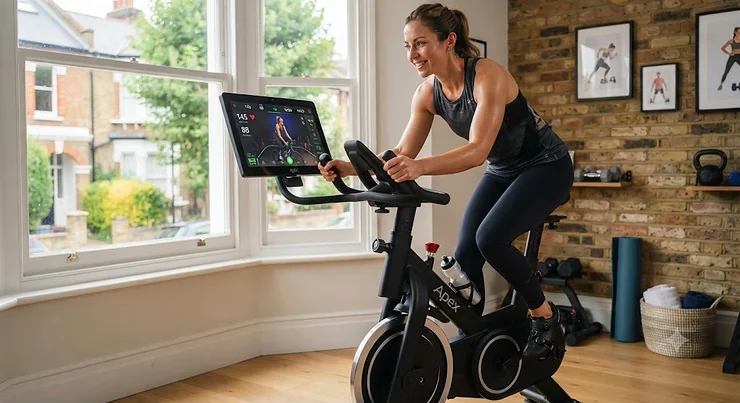
A spin bike with screen isn’t just an exercise bike with a telly bolted on. At its best, it’s a piece of connected fitness kit that turns a dull cardio session into something closer to a live class, complete with instructor cues, resistance data, and — on the smarter models — automatic difficulty adjustments that respond to what’s happening on screen. At its worst, it’s an expensive paperweight running a subscription you forgot to cancel.
This guide breaks down seven real, currently available models spanning budget, mid-range and premium price points, with honest analysis of who each one actually suits. According to NHS guidance on physical activity for adults, most of us should be aiming for at least 150 minutes of moderate activity a week — and a bike that keeps you coming back because the content is genuinely engaging does more for that target than a bike gathering dust under a coat rack. We’ll cover specs, real review sentiment, comparisons, running costs, and the transformation content — setup, scenarios, decision frameworks — that a plain Amazon listing simply won’t give you.
Quick Comparison Table
Before the deep dive, here’s the shape of the market at a glance. Prices are approximate ranges based on research at time of writing and will shift, so always check current pricing before buying.
| Bike | Screen Size | Subscription | Price Range | Best For |
|---|---|---|---|---|
| YESOUL G1M Plus | 21.5″ | Free streaming, no fee | Around £500-£650 | Best budget screen bike |
| Sole SB1200 | 10.1″ | Optional, apps included | Around £1,200-£1,400 | Best no-subscription pick |
| Echelon EX-5s | 22″ | Optional membership | Around £700-£1,000 (bike only) | Best flexible membership |
| Peloton Bike | 21.5″-23.8″ | Membership required | Around £1,300-£1,450 | Best class content |
| Bowflex VeloCore | 16″ or 22″ | JRNY membership | Around £1,600-£2,200 | Best for core engagement |
| NordicTrack Commercial S22i | 22″ rotating | iFIT membership | Around £1,700-£2,300 | Best for incline training |
| Peloton Bike+ | 23.8″ rotating | Membership required | Around £2,200-£2,400 | Best premium all-rounder |
Reading this table left to right, the pattern is obvious: the cheaper end trades subscriptions for one-off ownership, while the premium end bakes an ongoing membership into the whole experience. The YESOUL G1M Plus and Sole SB1200 are the outliers here, since both let you ride meaningfully without a recurring bill, whereas the Peloton Bike, Peloton Bike+, Bowflex VeloCore and NordicTrack Commercial S22i are built around their respective content ecosystems and lose a lot of their appeal without one.
💬 Just one click — help others make better buying decisions too!😊
Top 7 Spin Bikes With Screens: Expert Analysis
We’ve grouped these from budget through to premium, covering belt-driven and chain-driven models, subscription and subscription-free options, and both fixed and rotating displays. Every product below includes real specifications gathered from manufacturer listings and aggregated review sentiment — never invented quotes or fabricated star ratings.
1. YESOUL G1M Plus — best big screen without a subscription
The standout here is straightforward: a 21.5-inch touchscreen with no mandatory membership sitting behind it, which flips the usual “cheap bike, expensive content” script on its head. The flywheel is belt-driven and magnetically resisted, so there’s no grinding felt-pad noise to worry about, and the resistance dial offers fine, stepless adjustment rather than clunky preset notches. Bluetooth connectivity lets you pair a heart-rate strap or export ride data to third-party fitness apps if you want more granular tracking than the built-in console offers.
Based on the spec comparison against similarly priced bikes, this is one of the few models where the screen isn’t a loss-leader for a subscription — YESOUL’s own positioning is built around free access to its content library, which genuinely changes the maths for anyone who’s been burned by a monthly fee creeping up. It suits a rider who wants the immersive, on-screen feel of a Peloton-style bike without signing up for anything ongoing, and it’s a sensible pick for a household with more than one rider, since nobody has to argue about seat profiles being tied to a paid account. Reviewers consistently report that the touchscreen is responsive for its price bracket, though a recurring theme in aggregated feedback is that the seat padding is on the firmer side and benefits from an aftermarket gel cover for longer sessions.
Pros:
- ✅ Built-in screen with no required subscription fee
- ✅ Whisper-quiet magnetic belt-drive resistance system
- ✅ Bluetooth data export to third-party fitness apps
Cons:
- ❌ Stock seat padding is firm for rides over 45 minutes
- ❌ Smaller brand means fewer UK service centres than Peloton or NordicTrack
At around £500-£650, the YESOUL G1M Plus is hard to beat on pure value if what you want is screen-based motivation without the recurring bill.
2. Sole SB1200 — best for streaming without a fitness subscription
What immediately sets this apart is the 10.1-inch rotating touchscreen that comes pre-loaded with a dozen consumer streaming apps, meaning you log into your existing Netflix or Prime Video account rather than paying for a separate fitness platform on top of what you already have. The flywheel is a hefty 35lb chrome-plated unit with magnetic braking across 100 resistance levels, giving genuinely smooth, granular control rather than the coarse jumps some cheaper consoles offer.
On paper, this positions the Sole SB1200 as the anti-Peloton: all the hardware immersion, none of the content lock-in. That distinction matters most for buyers who already pay for Netflix, Disney+ or Prime and resent the idea of a second monthly charge just to watch the same shows while pedalling. Free Sole+ trainer-led classes are bundled in for those who do want structured workouts occasionally, without forcing a subscription for casual riders. What most buyers overlook about this model is that the screen also mirrors your own phone or tablet, so if none of the twelve built-in apps cover what you want, you’re not stuck. The 100kg-plus weight capacity and adjustable four-way seat make it a solid fit for taller riders too.
Pros:
- ✅ Pre-loaded streaming apps with no fitness subscription needed
- ✅ Heavy 35lb flywheel gives smooth, stable pedal feel
- ✅ Screen mirroring covers any app the bike doesn’t include
Cons:
- ❌ 10.1-inch screen is noticeably smaller than rival touchscreens
- ❌ Bulkier footprint than belt-drive budget bikes
Priced in the £1,200-£1,400 range, the Sole SB1200 rewards anyone who wants a genuinely no-subscription touchscreen exercise bike experience.
3. Echelon EX-5s — best flexible membership model
The headline feature is a 22-inch HD rotating touchscreen paired with a membership structure that doesn’t lock you into a single term: Echelon offers monthly, annual and two-year options, and the bike can technically run in a stripped-back “Freestyle” mode without any subscription at all, albeit without saved stats. The frame uses a rear-mounted flywheel, which shifts the bike’s centre of gravity and creates a more open, V-shaped cockpit — genuinely useful if you’re tall and have always found other spin bikes cramped between the seat and handlebars.
Here’s what to weigh: Echelon’s 32 levels of magnetic resistance are manually controlled rather than auto-adjusting to instructor cues, so if hands-free intensity matching is what draws you to a connected spin bike, this isn’t it. What the spec sheet won’t tell you, but user reports suggest, is that the value proposition improves considerably if you commit to the longer membership terms, since the per-month cost then undercuts Peloton by a meaningful margin. It’s a strong pick for buyers who want Peloton-adjacent production values — decent instructors, a reasonably deep class library, off-bike content like yoga and strength — without matching Peloton pricing on the hardware itself.
Pros:
- ✅ 22-inch rotating touchscreen at a lower entry price than rivals
- ✅ Flexible membership terms, including a subscription-free mode
- ✅ Rear flywheel layout suits taller riders
Cons:
- ❌ No automatic resistance adjustment during classes
- ❌ Full content library still requires an ongoing membership
Expect the bike itself to sit around £700-£1,000, with membership priced separately depending on term length — the Echelon EX-5s is a genuine Peloton alternative spin bike for anyone comparing the two head-to-head.
4. Peloton Bike — best class content and community
The standout feature needs no introduction: a tilting 21.5-inch (23.8-inch on the newer Cross Training Series model) HD touchscreen backed by arguably the deepest and most polished on-demand class library on the market, led by instructors who’ve built genuine followings of their own. The frame footprint is compact — roughly the size of a yoga mat — and the belt-drive resistance system is quiet enough for early-morning or shared-wall living situations.
Based on the spec comparison, what separates Peloton from cheaper touchscreen rivals isn’t the hardware so much as production quality and community features — leaderboards, live classes, the shared sense of “everyone’s riding together right now” that a static workout video can’t replicate. That’s a real, honest differentiator, not marketing fluff, and it’s the single biggest reason people who’ve tried both Peloton and a budget alternative tend to stick with Peloton despite the higher running cost. Reviewers consistently note that the All-Access Membership is the real financial commitment here, since the bike itself is arguably no more advanced, mechanically, than the Echelon or YESOUL models above it — you’re paying for the software and the coaching, not just the steel and the screen. Beginners in particular tend to value the extensive beginner-tagged class filtering, which sidesteps the “I don’t know where to start” problem that plagues content-heavy platforms.
Pros:
- ✅ Industry-leading class library and instructor quality
- ✅ Compact footprint suits smaller UK homes
- ✅ Strong resale value thanks to brand recognition
Cons:
- ❌ Membership is mandatory to unlock meaningful functionality
- ❌ No automatic resistance adjustment on the standard Bike
At around £1,300-£1,450 for the bike, plus a separate ongoing membership, the Peloton Bike remains the reference point every other connected spin bike gets measured against.
5. Bowflex VeloCore — best for core engagement and novelty
What makes this one genuinely different is Leaning Mode: a mechanism that lets the entire bike frame tilt side to side while you pedal, engaging your obliques and core in a way that a completely rigid frame simply can’t. The touchscreen comes in 16-inch or 22-inch versions, both HD and Wi-Fi connected, running Bowflex’s JRNY platform for adaptive workouts, virtual destination rides and real-time coaching cues.
On paper this means a fundamentally different riding experience from every other bike on this list, and honest analysis has to flag that this is a genuine love-it-or-hate-it feature rather than a universal upgrade. Reviewers consistently note that Leaning Mode is engaging and even a little playful once you get used to it, closer to a video game than a spin class, but riders who prefer a completely stable platform can simply lock the bike into Stationary Mode and ignore the tilt entirely — so it’s not forced on anyone. What most buyers overlook is that JRNY includes screen-mirrored access to your own Netflix and Prime Video accounts alongside its guided workouts, similar to the Sole approach, which softens the subscription sting somewhat. Dual-sided pedals accepting both SPD clips and standard toe cages make it flexible for households where not everyone owns cycling shoes.
Pros:
- ✅ Unique leaning mode adds genuine core engagement
- ✅ Screen mirrors personal Netflix and Prime Video accounts
- ✅ Dual-sided pedals suit clipped and non-clipped riders alike
Cons:
- ❌ Leaning mechanism won’t suit riders wanting total stability
- ❌ 16-inch screen version is noticeably smaller than the 22-inch model
Pricing typically falls in the £1,600-£2,200 range depending on screen size, positioning the Bowflex VeloCore as a premium pick for anyone bored of the standard spin bike format.
6. NordicTrack Commercial S22i — best for incline and decline training
The defining feature is a 22-inch HD rotating touchscreen paired with genuine incline and decline simulation — a range of -10% to +20% — which lets the bike physically tilt to mimic real hill terrain during iFIT’s location-based Global Workouts. Automatic Trainer Control means resistance and incline adjust hands-free to match what the on-screen instructor is doing, a genuine convenience feature that manually-controlled bikes like the Echelon simply can’t match.
Here’s what to weigh: this incline-decline functionality is the S22i’s whole reason for existing, and it’s the most meaningful hardware differentiator on this entire list — no other bike here physically changes angle to match the terrain on screen. Based on the spec comparison, that makes it the strongest pick specifically for anyone who found flat, static spin sessions monotonous and wants something closer to genuinely varied outdoor cycling. What the spec sheet won’t tell you, but user reports suggest, is that iFIT’s interface has a learning curve — several reviewers mention it took a session or two to find the search and filtering tools comfortably, though usability improves once you’re familiar with the layout. The 10-year frame warranty is also worth noting as a genuine trust signal for a bike at this price point.
Pros:
- ✅ Physical incline and decline simulation up to 20%
- ✅ Automatic resistance and incline adjustment during classes
- ✅ Strong 10-year frame warranty as standard
Cons:
- ❌ iFIT interface has a noticeable learning curve early on
- ❌ Requires an active iFIT subscription for most functionality
Typically priced around £1,700-£2,300, the NordicTrack Commercial S22i is the smart spin bike pick for anyone who wants their screen to physically change the ride, not just narrate it.
7. Peloton Bike+ — best premium all-rounder
The showpiece feature is a fully rotating 23.8-inch HD touchscreen that swivels to face the room for off-bike content — strength, yoga, stretching — without you having to dismount and reposition anything. Automatic resistance adjustment means the bike itself responds to instructor callouts in real time, removing the need to manually twist a dial mid-class, and Peloton IQ adds form-tracking and rep-counting for the off-bike strength sessions accessed through that same screen.
Based on the spec comparison against the standard Peloton Bike, the Bike+ genuinely earns its premium over the base model rather than just charging more for the badge: automatic resistance and a rotating screen are functional upgrades, not cosmetic ones, and they measurably change how seamless a mixed cardio-and-strength session feels. What most buyers overlook about this model is that the improved Sonos-tuned speaker system is a bigger quality-of-life change than it sounds on paper — for anyone who rides with music or class audio rather than headphones, the difference in clarity is immediately noticeable. Reviewers consistently note that the compact footprint remains a major selling point even at this price tier, since it’s barely larger than the standard Bike despite the added hardware. This is the bike for someone who has already decided Peloton’s content is worth paying for and wants the most capable hardware to access it.
Pros:
- ✅ Fully rotating screen enables seamless off-bike workouts
- ✅ Automatic resistance adjustment during live and on-demand classes
- ✅ Noticeably improved speaker quality over the standard Bike
Cons:
- ❌ Highest price point on this list, before membership costs
- ❌ Membership remains mandatory for full functionality
At around £2,200-£2,400, the Peloton Bike+ sits at the top of this list for buyers who’ve already bought into the Peloton ecosystem and want the best hardware to match it.
Setting Up Your New Spin Bike With Screen: A Practical Usage Guide
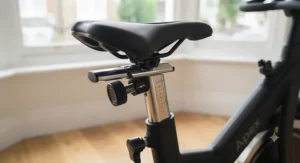
Getting the hardware right in the first week matters more than most buyers expect, and it’s the part Amazon listings never cover. Start with saddle height: stand beside the bike and set the seat level with your hip bone, then fine-tune once seated so your knee holds a slight bend at the bottom of the pedal stroke — a seat set too low is the single most common cause of new-rider knee discomfort. Handlebar distance should let your elbows sit softly bent, not locked out, when reaching the grips.
In the first 30 days, resist the urge to chase leaderboard numbers or class-completion streaks before your joints and connective tissue have adapted; two or three sessions a week, building gradually, beats seven sessions followed by a forced week off. Whichever bike from our list you choose, register the warranty within the stated window — several manufacturers, including NordicTrack, extend frame cover meaningfully if you do this within 28 days. For maintenance, wipe down the flywheel area weekly to stop sweat and dust building up around magnetic resistance components, and check pedal and crank bolts monthly, since these are the most common points to work loose on any indoor bike regardless of price. A common first-month mistake is skipping the screen calibration step during setup — most touchscreen consoles need a brief Wi-Fi and account sync before class content streams reliably, and rushing past this leads to frustrating buffering during your first ride.
Real-World Scenarios: Who Actually Suits Which Bike
The budget-conscious first-timer. Sarah, a 29-year-old renting a one-bed flat, wants to try connected cycling without committing to a subscription she might abandon after January. She’s not chasing leaderboard rankings — she just wants something more engaging than silence. The YESOUL G1M Plus or Sole SB1200 both suit this profile well, since neither forces an ongoing fee, and both fit a smaller footprint than the premium options.
The household streaming subscriber. Tom and his partner already pay for Netflix and Prime, ride separately at different times, and don’t want a third monthly bill for fitness content on top of two streaming services they already use daily. The Sole SB1200‘s pre-loaded apps and screen mirroring solve this directly, letting them watch what they already pay for while they ride.
The former gym-class regular. Priya used to attend three spin classes a week before her local studio closed, and misses the instructor-led energy and sense of a shared session more than anything else. For her, the content quality of the Peloton Bike or Peloton Bike+, and the community leaderboard features, replicate that studio feeling more closely than any subscription-free alternative can.
Buyer’s Decision Framework
If budget is your primary constraint and you don’t want a recurring bill, choose the YESOUL G1M Plus because it delivers a genuine touchscreen experience without ongoing costs eating into the saving over time. If you already pay for streaming services and resent paying twice, choose the Sole SB1200, because its built-in apps use accounts you already own. If instructor-led class quality and community motivation matter most, choose the Peloton Bike or Peloton Bike+, because no rival on this list matches Peloton’s content depth. If you want the ride itself to feel physically different — hills, tilt, genuine terrain variation — choose the NordicTrack Commercial S22i for incline simulation or the Bowflex VeloCore for lateral engagement. And if you want Peloton-style production values at a lower hardware cost, choose the Echelon EX-5s and factor the membership in separately.
How to Choose a Spin Bike With Screen
Choosing the right spin bike with screen comes down to a handful of decisions that matter far more than the marketing copy suggests:
- Decide on subscription tolerance first. Work out your realistic monthly budget for content before comparing hardware, since a “cheap” bike with an expensive membership often costs more over three years than a pricier subscription-free model.
- Match screen size to your actual use case. A 10-inch display is plenty for stats and streaming; a 22-inch rotating screen earns its size if you’ll genuinely use off-bike content like yoga or strength classes.
- Check flywheel weight and drive type. Heavier flywheels (18kg-20kg or 35lb-plus) generally deliver smoother, more realistic pedal momentum, and belt drives run quieter than chain drives.
- Confirm resistance range and adjustment style. Automatic, instructor-matched resistance (as on Peloton Bike+ and the NordicTrack S22i) suits hands-free riders; manual dials suit those who like fine control.
- Measure your space before ordering. Rotating screens and leaning frames need slightly more clearance than fixed-screen models — check width and depth, not just footprint length.
- Read the warranty terms closely. Frame warranties vary hugely between brands, and registering promptly can extend cover significantly.
- Consider resale and brand longevity. Established brands with strong UK support networks tend to hold value and remain serviceable years down the line, which matters if your circumstances change.
According to Which?’s independent exercise bike buying guide, comfort and stability differences between models are often bigger than spec sheets suggest, which is exactly why hands-on reviews and aggregated owner sentiment matter as much as raw numbers.
Spin Bike vs Indoor Cycling Bike: What’s Actually Different
The terms get used almost interchangeably in UK retail listings, which causes genuine confusion. Strictly speaking, “spin bike” originally referred to a specific style of studio bike — heavy flywheel, fixed or near-fixed resistance mechanism, designed to mimic the feel of an outdoor road bike as closely as possible. “Indoor cycling bike” is the broader umbrella term that includes everything from basic home fitness bikes to the connected, screen-equipped models covered in this guide.
In practice, most modern spin bike with screen products blur the line entirely: they retain the heavy flywheel and aggressive riding posture of a traditional spin bike while adding the connected features — touchscreen, app integration, on-demand content — associated with the wider indoor cycling category. What most buyers overlook when comparing the two labels is that the meaningful difference isn’t in the name, it’s in three specific specs: flywheel weight, resistance type (magnetic versus friction pad), and riding position (aggressive, road-bike-style lean versus a more upright posture). A genuine spin-style bike, like the heavier options in our list, will always feel closer to outdoor road cycling than a general-purpose indoor bike with a shallower lean angle. If your priority is fitness-class authenticity, favour bikes explicitly marketed with spin-style geometry and a flywheel above 18kg; if comfort and casual use matter more, a broader indoor cycling bike may suit you better regardless of screen size.
Connected Spin Bike Ecosystems: Apps, Subscriptions and On-Demand Classes
A connected spin bike is only as good as the software running on it, and this is where honest comparison matters most, because the differences between platforms are far bigger than the differences between the physical bikes themselves. Peloton’s ecosystem leans heavily on live and on-demand cycling classes led by instructors with genuine personality and structured programming, alongside off-bike content. iFIT, which powers the NordicTrack Commercial S22i, leans into location-based Global Workouts filmed on real outdoor terrain, matched to physical incline changes on compatible bikes. Echelon’s Premier Membership sits somewhere between the two, with a broad but slightly less polished class library at a typically lower price point.
The rise of genuinely useful on-demand cycling classes has changed what a “good” connected spin bike needs to offer: it’s no longer enough to have a screen showing your heart rate and cadence, because that same information is available from a £30 cadence sensor paired with a free app. What justifies paying for a full ecosystem is structured programming, progression tracking across sessions, and community features that keep motivation high over months rather than weeks. Reviewers consistently report that engagement — not raw fitness gains — is the biggest differentiator between platforms, since almost any bike delivers a solid workout if you actually get on it regularly.
Best Spin Bike With App: What Makes App Support Worth Paying For
Not every spin bike needs a companion app, but for anyone asking specifically about the best spin bike with app support, the feature worth prioritising isn’t the app itself — it’s what data the app actually surfaces and whether it syncs with tools you already use. The strongest implementations, including Peloton’s companion app and NordicTrack’s iFIT app, let you start a class on your phone and continue seamlessly on the bike’s screen, or vice versa, which matters if multiple household members share one bike but want personalised progress tracking. Bluetooth export to third-party platforms like Strava or Apple Health, offered on bikes including the YESOUL G1M Plus, is a genuinely underrated feature for anyone who already tracks other activities and doesn’t want cycling data living in a separate silo.
What the spec sheet won’t tell you, but user reports suggest, is that app quality can degrade over time if a manufacturer deprioritises updates — checking recent app store reviews (not just the bike’s own reviews) is a smart extra step before buying, since it reveals whether the software side of a smart spin bike is still being actively maintained.
Peloton Alternative Spin Bike: Five Real Options Compared
Anyone specifically searching for a Peloton alternative spin bike is usually driven by one of two things: the membership cost, or wanting different hardware features Peloton doesn’t offer. On membership cost alone, the Echelon EX-5s is the clearest direct alternative, undercutting Peloton’s monthly fee noticeably across longer commitment terms while offering broadly comparable production values. On feature differentiation, the NordicTrack Commercial S22i offers physical incline simulation Peloton doesn’t match, while the Bowflex VeloCore‘s leaning mode is a genuinely unique mechanism with no Peloton equivalent at all. For anyone wanting to sidestep subscriptions entirely, the Sole SB1200 and YESOUL G1M Plus both function as legitimate Peloton alternatives specifically because they remove the ongoing cost from the equation altogether, trading some content polish for long-term savings.
The honest verdict: no alternative fully replicates Peloton’s specific blend of instructor talent and community leaderboard culture, since that’s built on years of content production rather than hardware. But if what you actually valued about Peloton was the screen-led, connected riding experience rather than that specific content library, several of these alternatives deliver it for meaningfully less money over a three-year ownership period.
Touchscreen Exercise Bike: What the Display Actually Needs to Do
It’s tempting to treat screen size as the headline spec when comparing any touchscreen exercise bike, but resolution, viewing angle and responsiveness matter just as much in daily use. A larger screen that’s dim or slow to respond to touch input is a worse experience than a smaller, crisp, quick-to-load display — something that rarely shows up clearly in a spec sheet but comes through repeatedly in aggregated owner feedback. Rotating and tilting screens, found on the Peloton Bike+ and NordicTrack Commercial S22i, add genuine functional value if you plan to use off-bike content, since a fixed screen facing the saddle is awkward to view from a yoga mat on the floor.
Processing power behind the display matters too: budget bikes occasionally suffer from laggy menus or slow class-loading times, a recurring theme in review sentiment for lower-cost connected bikes generally. Before buying, it’s worth checking whether the touchscreen exercise bike you’re considering allows Bluetooth headphone pairing, since built-in speakers vary hugely in quality and shared living spaces often demand headphone use during early-morning or late-evening sessions.
Smart Spin Bike Features That Actually Matter (And Those That Don’t)
Marketing copy for any smart spin bike tends to list every feature with equal enthusiasm, but honest analysis separates what genuinely improves your workouts from what’s mostly there to justify a higher price tag. Automatic resistance adjustment, found on the Peloton Bike+ and NordicTrack S22i, is a feature that matters: it removes a genuine point of friction (fumbling for a dial mid-sprint) and measurably improves class flow. Heavy, well-balanced flywheels matter too, since they’re the physical foundation of ride quality regardless of how good the screen is. Bluetooth heart-rate and cadence syncing matters for anyone who trains by data rather than feel.
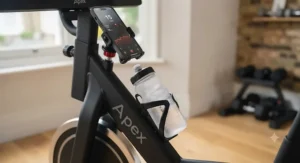
What matters less: built-in dumbbell racks, which sound useful but are rarely used consistently by most owners according to aggregated review patterns, and touch-based games or “gamified” resistance challenges, which tend to be a novelty that wears off within a few months for most riders. Water bottle holders and device rack size are nice-to-haves rather than deciding factors — genuinely useful in daily life, but not worth paying a premium for on their own. If a listing leads with a long features list, cross-reference it against flywheel weight, screen responsiveness and subscription cost before letting secondary features sway the decision.
Common Mistakes When Buying a Spin Bike With Screen
The most common mistake is buying based on screen size alone and ignoring subscription cost entirely, only to discover the true three-year cost is double the sticker price once membership fees are added up. A close second is skipping room measurements — rotating and leaning bikes need more lateral clearance than their footprint dimensions suggest, and several aggregated reviews mention returns caused by this exact oversight. Buyers also commonly underestimate noise: even magnetic resistance bikes produce some sound through the frame and floor, which matters considerably in flats with shared walls or floors, something worth testing or researching before committing to a bike with a strict no-returns policy. Finally, many first-time buyers skip checking maximum user weight and inseam-height compatibility ranges, both of which vary more between models than most shoppers expect, and both of which directly affect comfort and safety.
Long-Term Cost & Maintenance
The upfront price of any spin bike with screen is only part of the total cost of ownership. Subscription-based bikes like the Peloton Bike, Peloton Bike+, NordicTrack Commercial S22i and Bowflex VeloCore carry recurring monthly costs that, over three years, frequently exceed the original hardware price — worth calculating explicitly before you buy rather than discovering it a year in. Against that, compare what you’d otherwise spend: a single boutique studio class in most UK cities costs upwards of £15, so two sessions weekly quickly surpasses £1,500 a year, making even a premium screen bike with membership a reasonable long-term saving for anyone who was previously a regular studio-goer.
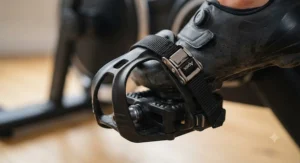
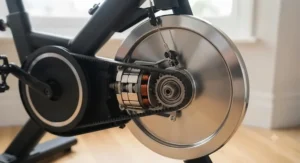
Maintenance costs are comparatively modest across this category. Magnetic resistance systems, used on every bike in our list, avoid the felt-pad replacement costs associated with older friction-braked bikes, and belt drives typically outlast chain drives with less lubrication upkeep. Budget a small annual allowance for pedal strap replacement and occasional bolt tightening, and treat frame warranty length as a genuine cost-saving factor, since a longer warranty reduces your exposure to unexpected repair bills on the single most expensive component to replace.
Safety, Regulations and Compliance Guide
Any spin bike with screen sold in the UK should carry UKCA marking (or CE marking during the current transitional recognition period), confirming it meets recognised electrical and mechanical safety standards for home fitness equipment — worth checking on the product listing or box before buying, particularly for lesser-known imported brands. Maximum user weight ratings are a genuine safety limit, not a rough guideline, and exceeding them can affect frame integrity over time, not just comfort.
Beyond the hardware, it’s worth pairing any new routine with sensible activity guidance. The UK Chief Medical Officers’ physical activity guidelines recommend building up gradually if you’re returning to exercise after a break, and anyone with existing health conditions should check with a GP before starting an intensive new cycling routine, regardless of how motivating the screen in front of them looks. Electrically, all seven bikes on this list run on standard UK mains voltage with a three-pin plug, so no adapter or rewiring is needed out of the box.
Frequently Asked Questions
❓ Is a spin bike with screen worth it over a normal exercise bike?
❓ Do all spin bikes with screens need a subscription?
❓ What screen size is best for a spin bike?
❓ Can I use my own tablet instead of a built-in screen?
❓ How much space does a connected spin bike need?
Conclusion
There’s no single best spin bike with screen — only the best one for your specific mix of budget, space and content preference. If subscriptions put you off entirely, the YESOUL G1M Plus and Sole SB1200 prove you don’t need a recurring bill to get a genuinely immersive touchscreen ride. If instructor-led class quality is what actually gets you back on the saddle three times a week, the Peloton Bike and Peloton Bike+ remain the benchmark for good reason, and the premium reflects real production value rather than just brand markup. If you want the physical riding experience itself to change — hills on the NordicTrack Commercial S22i, lateral movement on the Bowflex VeloCore — those two stand apart from everything else on this list.
Whichever you choose, the research is consistent on one point worth remembering: according to the NHS’s overview of the health benefits of regular exercise, consistency matters more than intensity for most of the long-term benefits people are chasing. A bike you’ll actually ride most weeks beats a spec sheet you’ll admire once and then avoid.
Recommended for You
- Spin Bike Under £300: 7 Brilliant Picks for 2026
- Spin Bike For Home: 7 Brilliant Picks Tested & Ranked (2026)
- Best Recumbent Bike for Back Pain: 7 Top UK Picks for 2026
Disclaimer: This article contains affiliate links. As an Amazon Associate, I earn from qualifying purchases. If you purchase products through these links, we may earn a small commission at no additional cost to you.
✨ Found this helpful? Share it with your friends! 💬🤗
